建立專案資料夾
參考:
SFC 是開發網站專案的標準做法
Using *.vue files for our Vue project makes sense because:
- it becomes easier to handle larger projects with the use of templates and components.
- we can see and test our project through the https protocol, like the users will see the page.
- the page updates immediately when changes are saved, without reloading.
- this is how real web pages in Vue are built.
- it is how developers work.
重點
- 1.安裝環境包括
- VS Code Editor (寫程式的整合開發環境)
- VS Code "Volar" Extension
highlighting and auto-completion with *.vue files - Node.js
server-side JavaScript runtime environment.
the Vue build tool "Vite" runs on top of this.
- 2.建立專案資料夾放所有相關的檔案
- 建立資料夾,例如 ./myFirstSFC
- 建立框架 (Scarffold) ~ npm init vue@latest
- npm 是 Node.js 的預設套件管理工具 [FAQ]
- Answer "No" to all options:
- 初始化環境
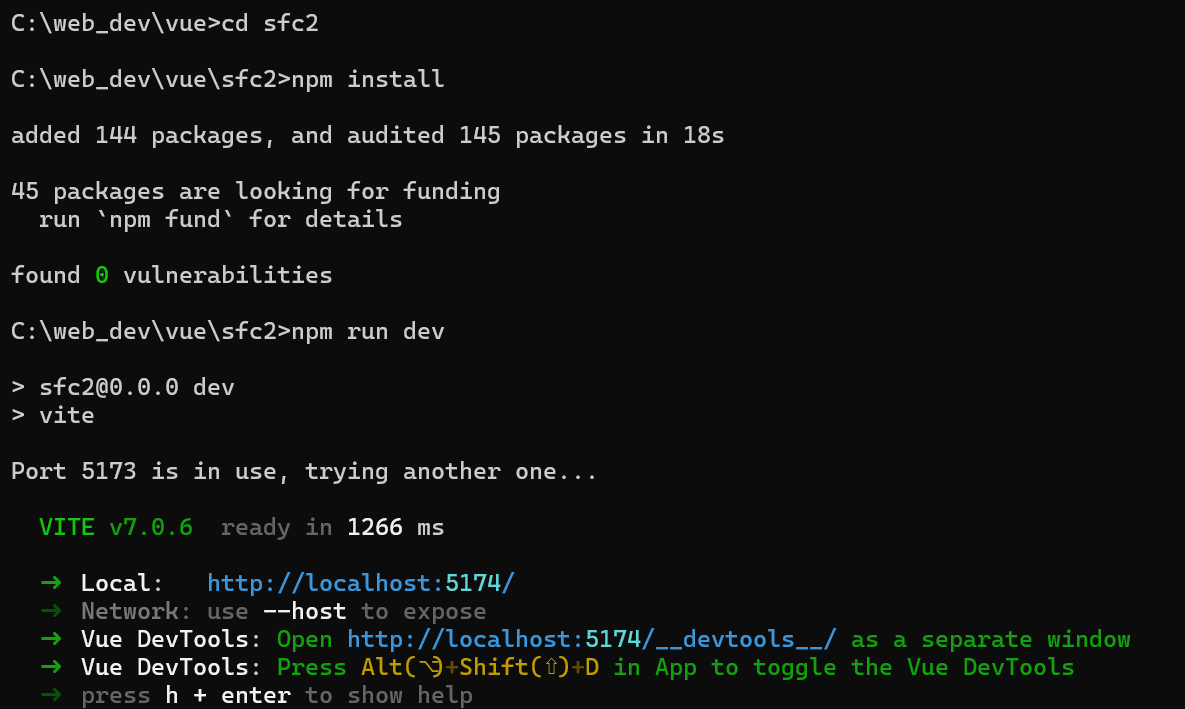
- cd sfc2
- npm install:Install all required dependencies so that the Vue project works:
- npm run dev:Start the development server
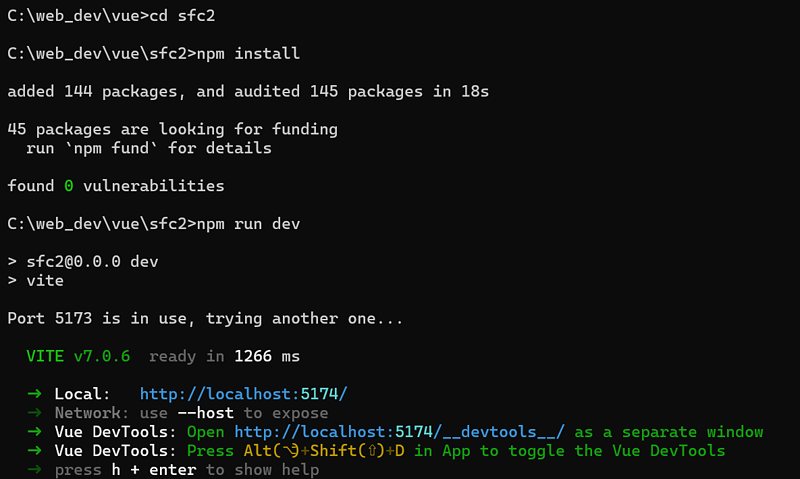
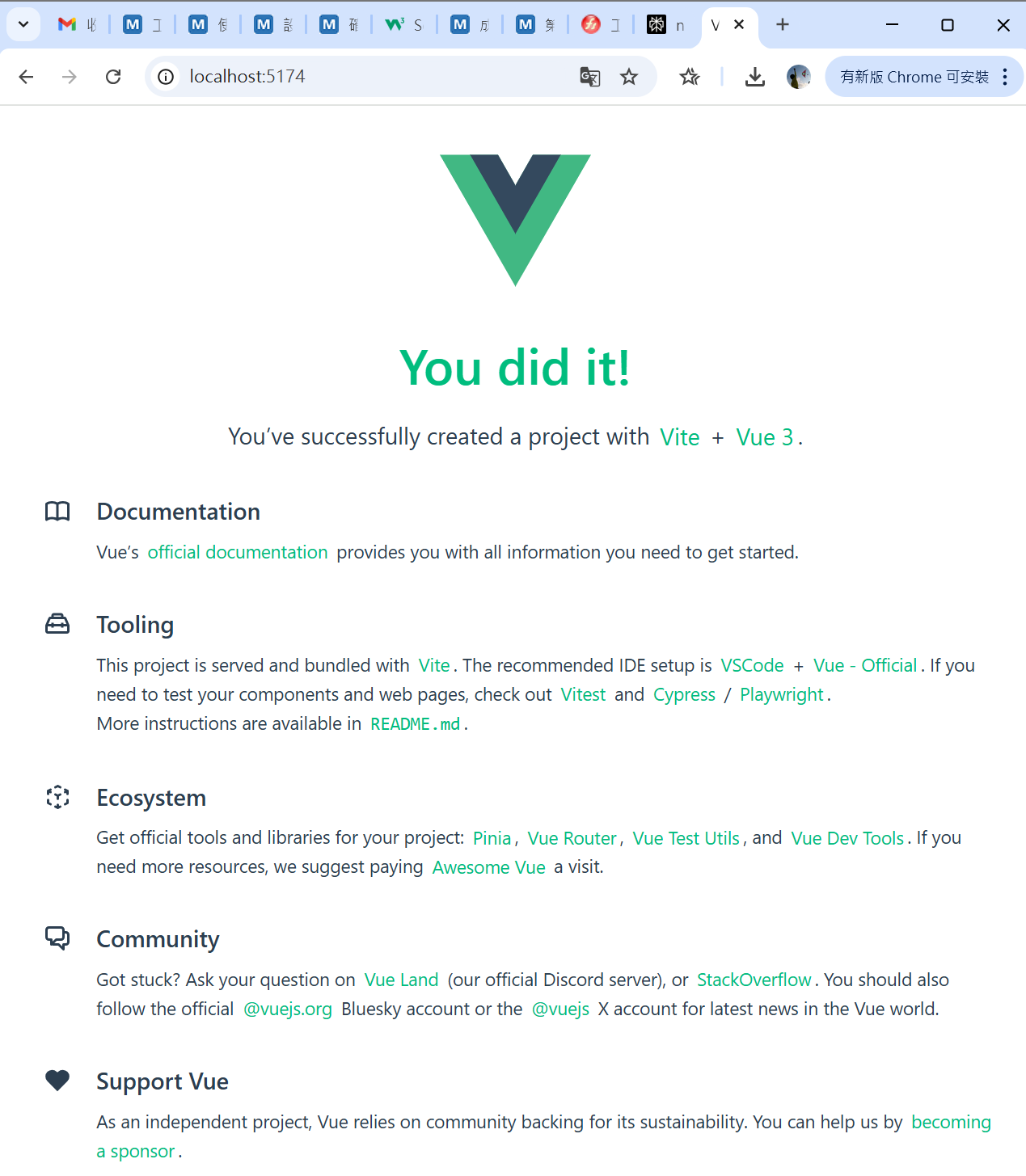
- 3.進入 Vite 前端建構工具順利完成環境建立後,就會進入 Vite 前端建構工具(build tool),由 Vue.js 作者尤雨溪團隊開發,主要用來提升前端開發的效率和體驗。 [FAQ]小提醒:如果沒有自動開啟瀏覽器,就直接輸入網址
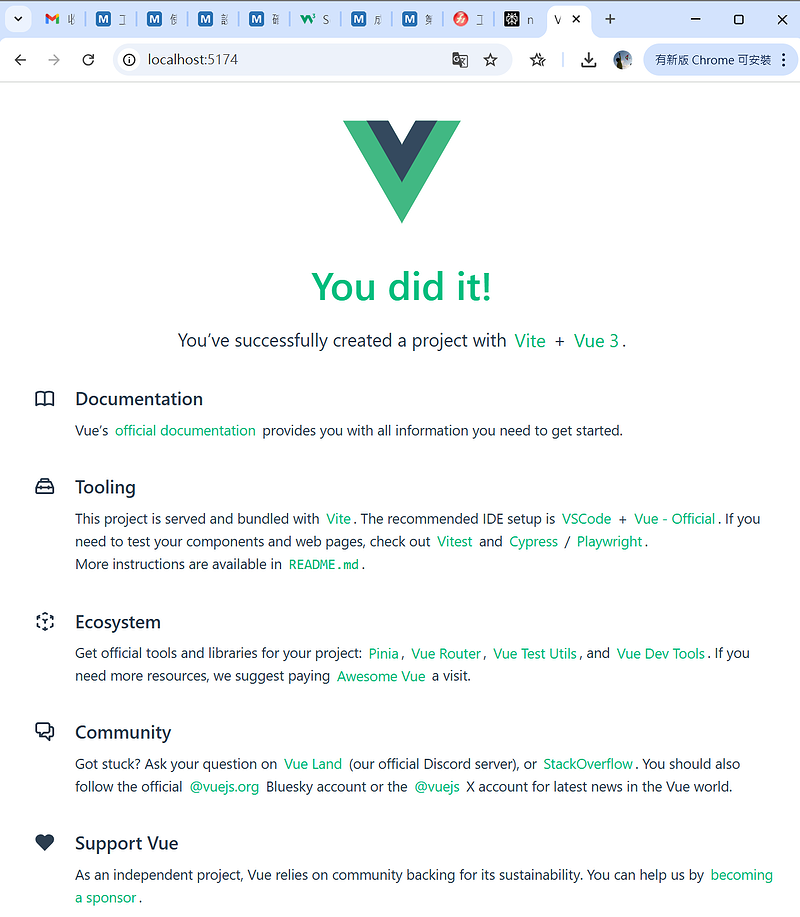
- 專案檔案說明 (The Project Files)
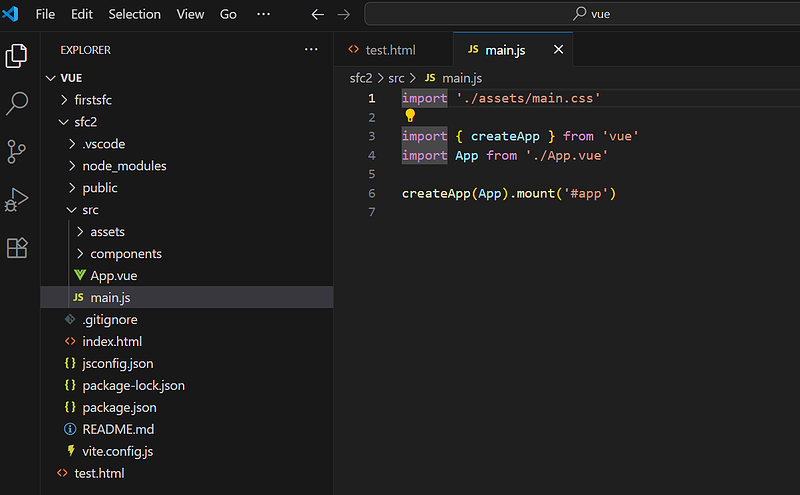
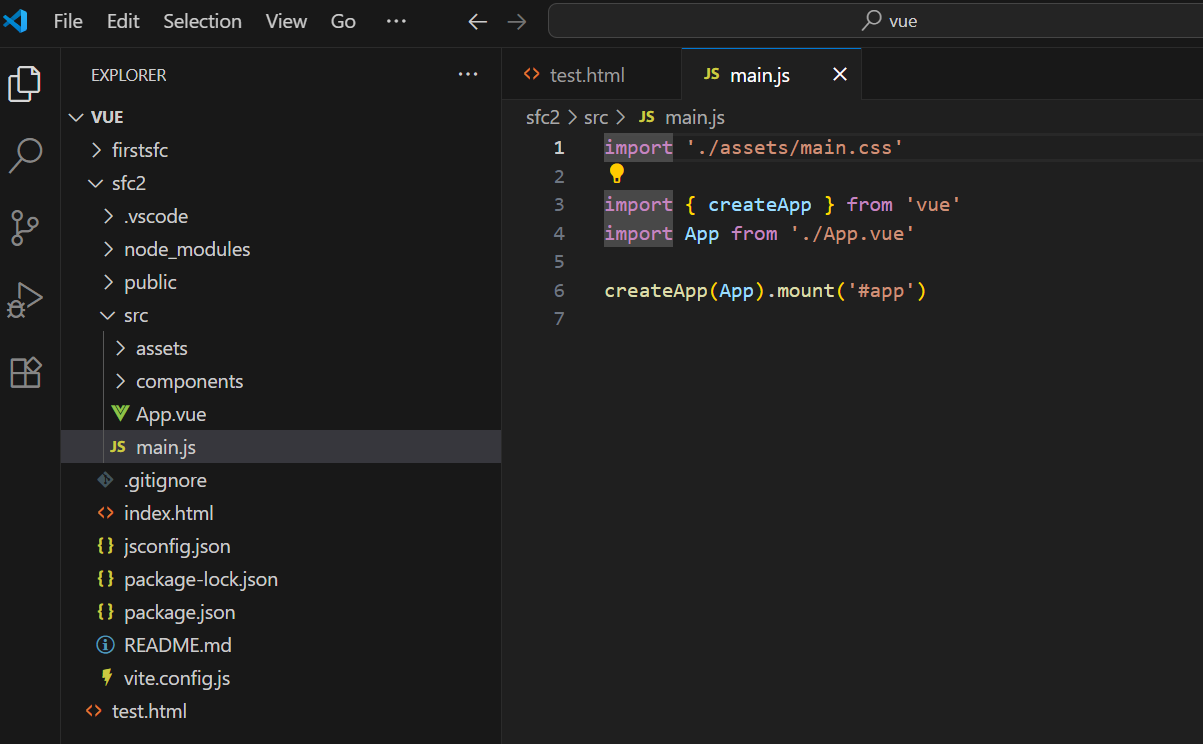
- 4.main.js位置:./src/main.js目的:tells Vite how to build the Vue project based on the "App.vue" file.類似一開始寫 Vue 的主要框架
<div id="app"></div>

<script src="https://unpkg.com/vue@3/dist/vue.global.js"></script>

<script>

  const app = Vue.createApp({
    data() {
      return {
        message: "Hello World!"
      }
    }
  })

 app.mount('#app')

</script>
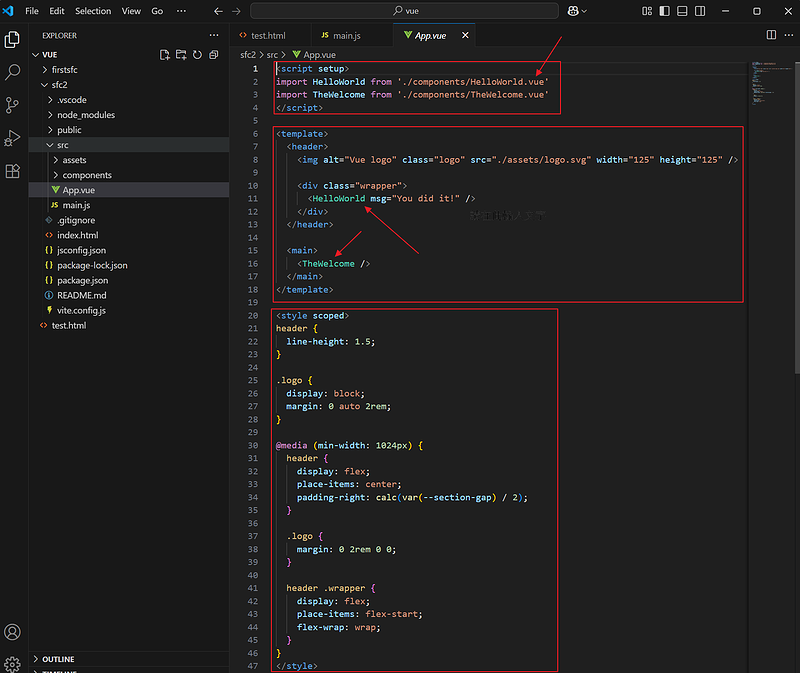
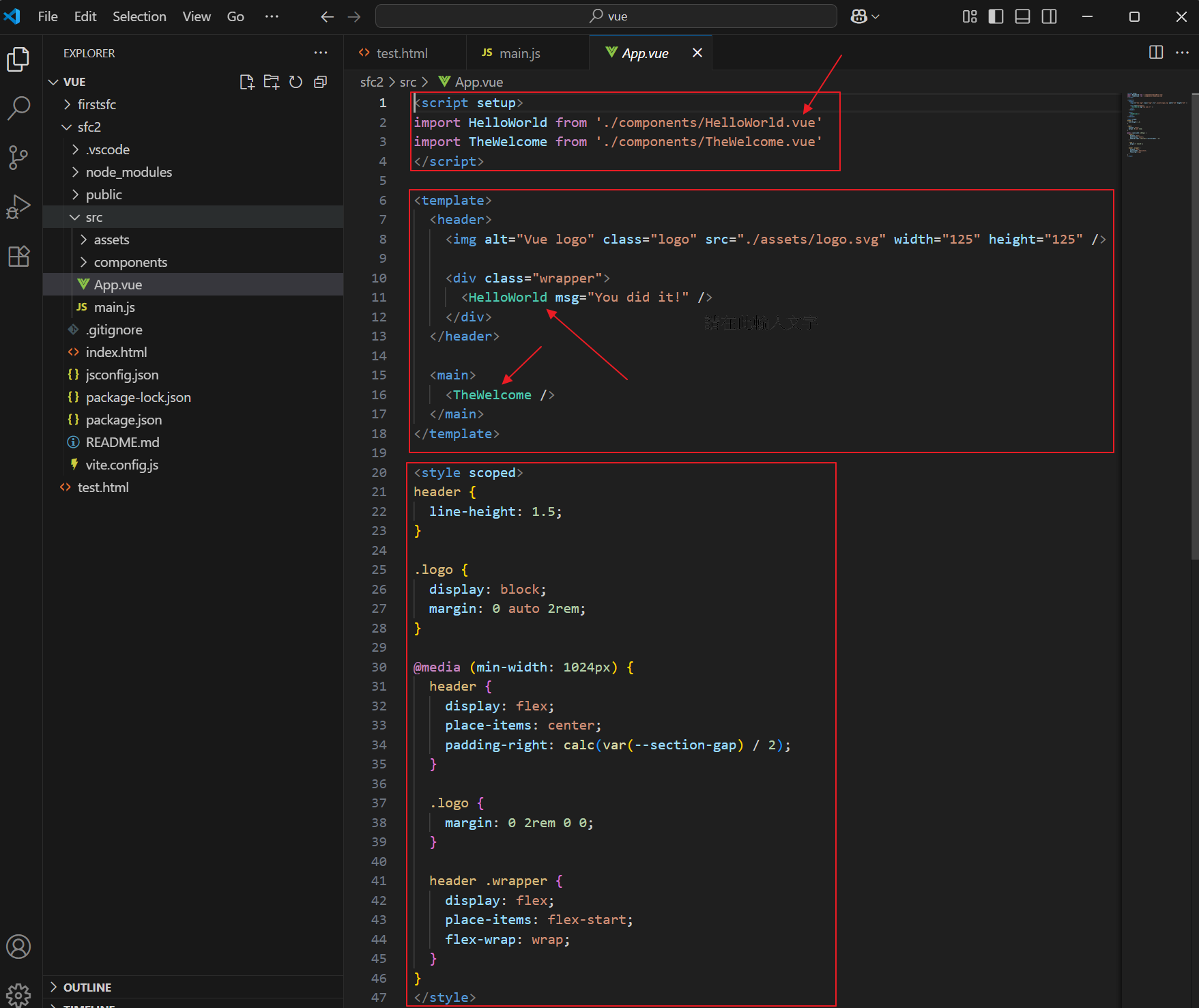
- 5.App.vueVue 的主要框架,3 個部分
- <script>
- <template>
- <style>
小提醒:- script 還包括 import 其他 Vue 的 components (放在 ./components 資料夾內)
- templete 裡面的 component 參考 <HelloWorld msg="You did it!" /> <TheWelcome />
- 開始寫程式囉
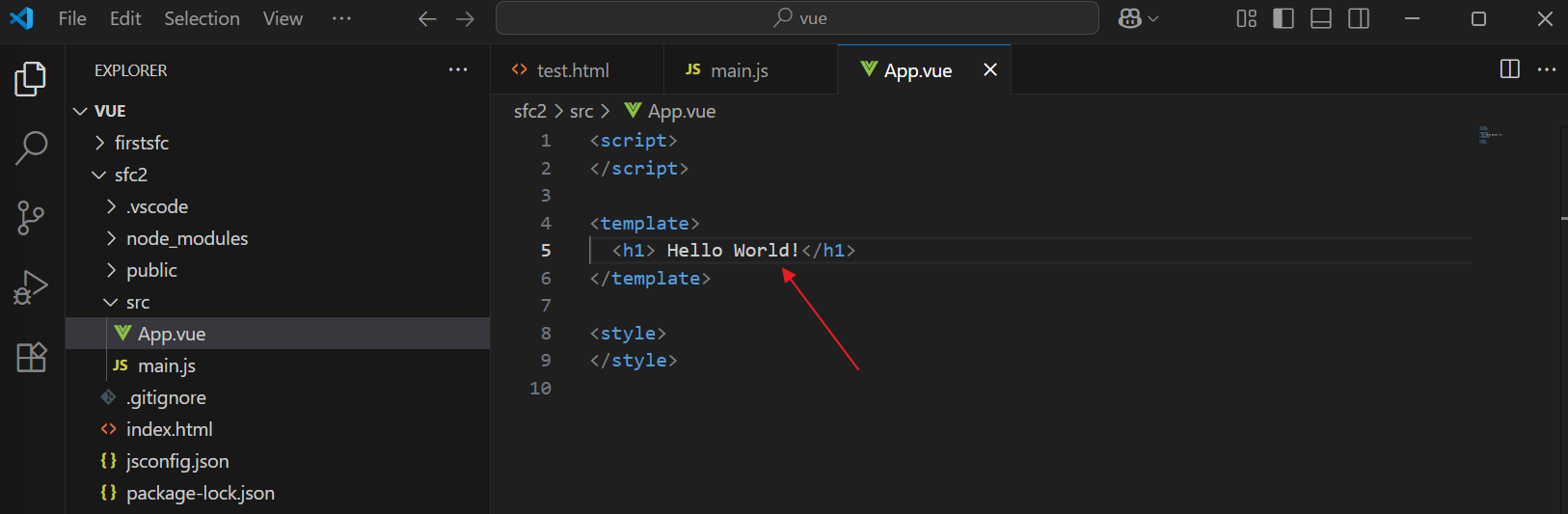
- 6.從零開始 ~ 清除成 empty project依序處理
- 刪除 App.vue 所有的內容,只留下基本的框 (圖1)
- 刪除資料夾 ./src/assets 和 components (圖2) // src 資料夾只剩下 App.vue 和 main.js
- 刪除 main.js 內的 import './assets/main.css' // 前面都刪光了,已經沒得參考
圖1: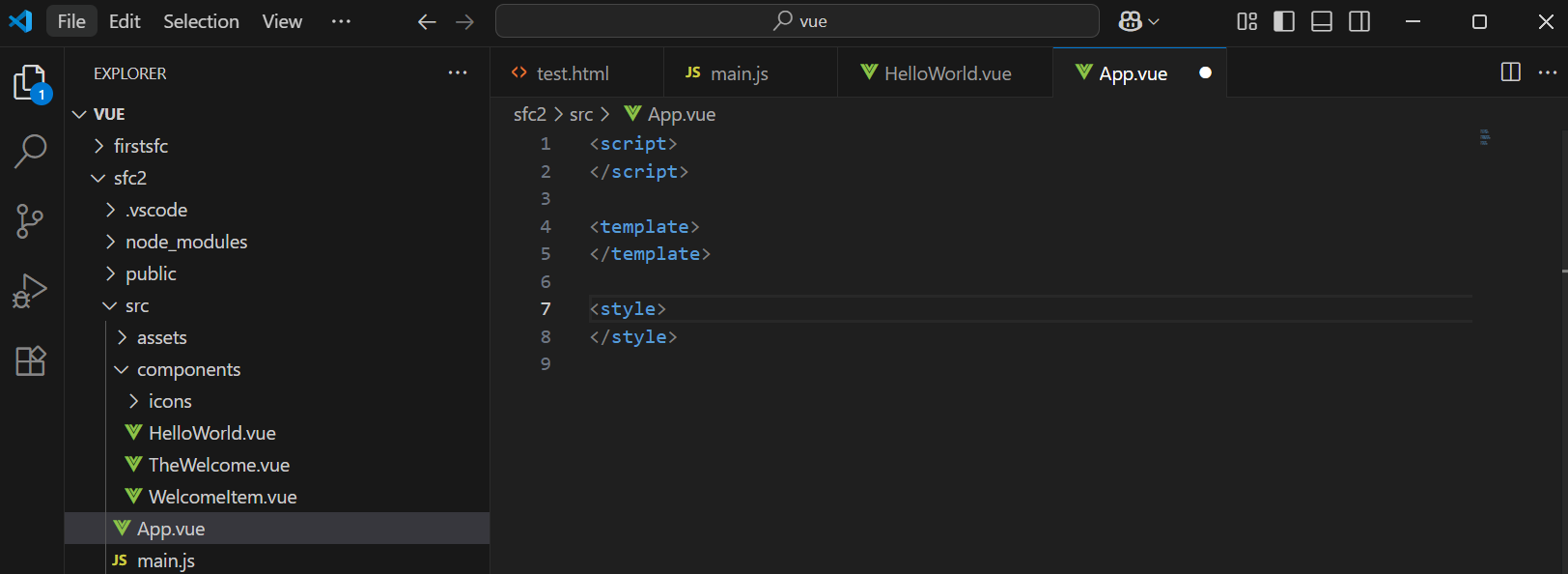 圖2:
圖2: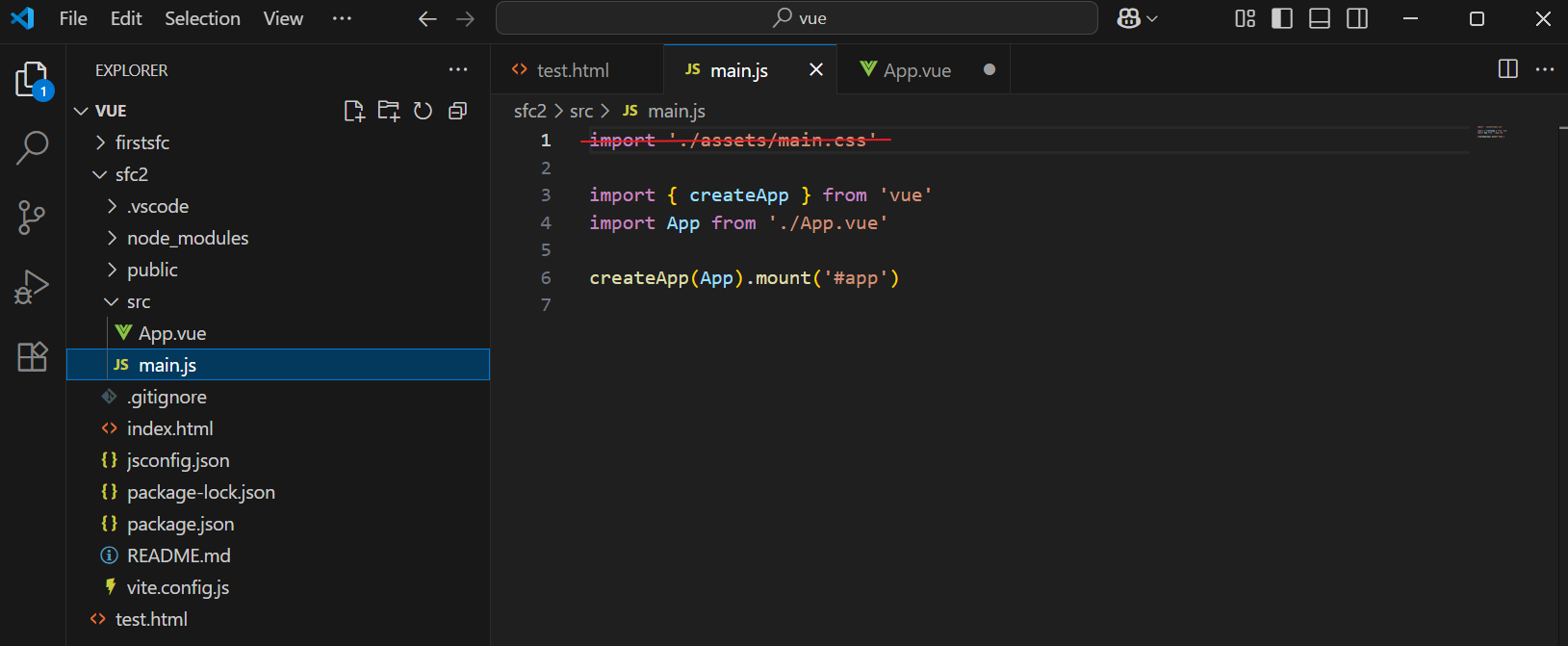
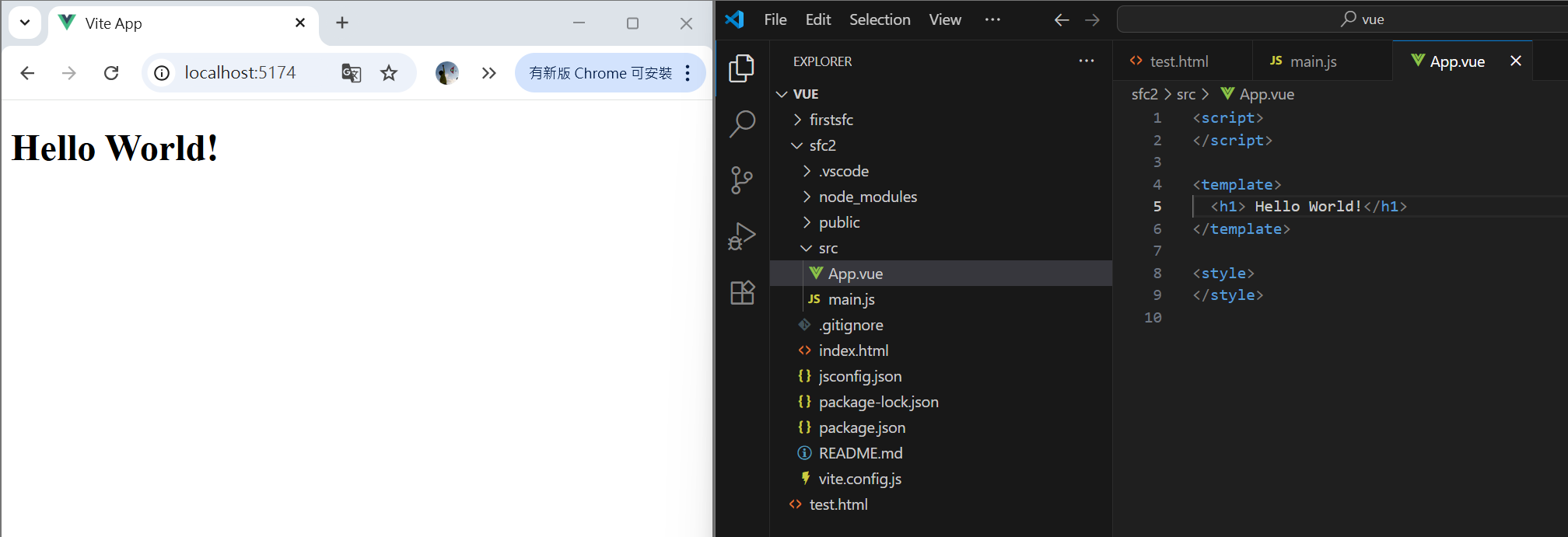
- 7.秀 Hello World!在哪裡寫呢?想也知道,一定是在 App.vue 的 templete 中原因很簡單
- 只剩下 App.vue,而且是主要框 (當然也可以放在 component,以後再說囉,第一支程式嘛)
- 和 html 有關的,就在 templete
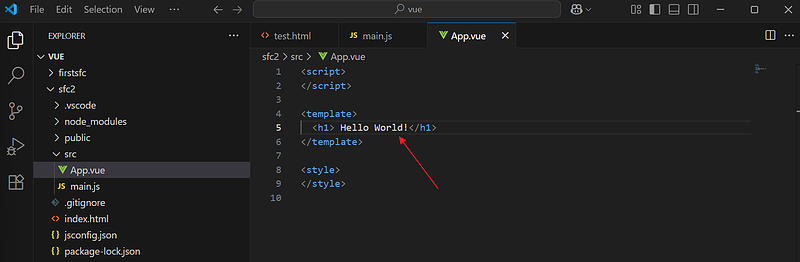
- 只剩下 App.vue,而且是主要框 (當然也可以放在 component,以後再說囉,第一支程式嘛)
- 8.Save 後立刻看到結果!這就是 Vite 的好處,更快速友善的開發環境!
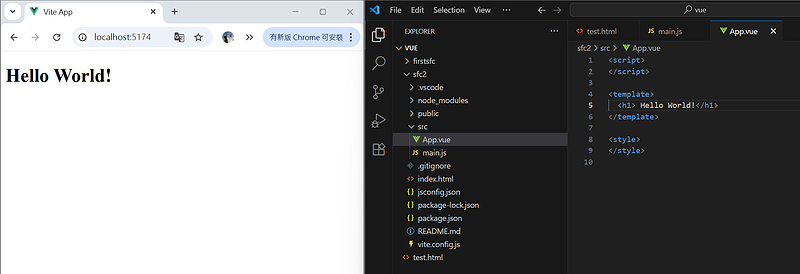
- 再熟悉一下 Vue
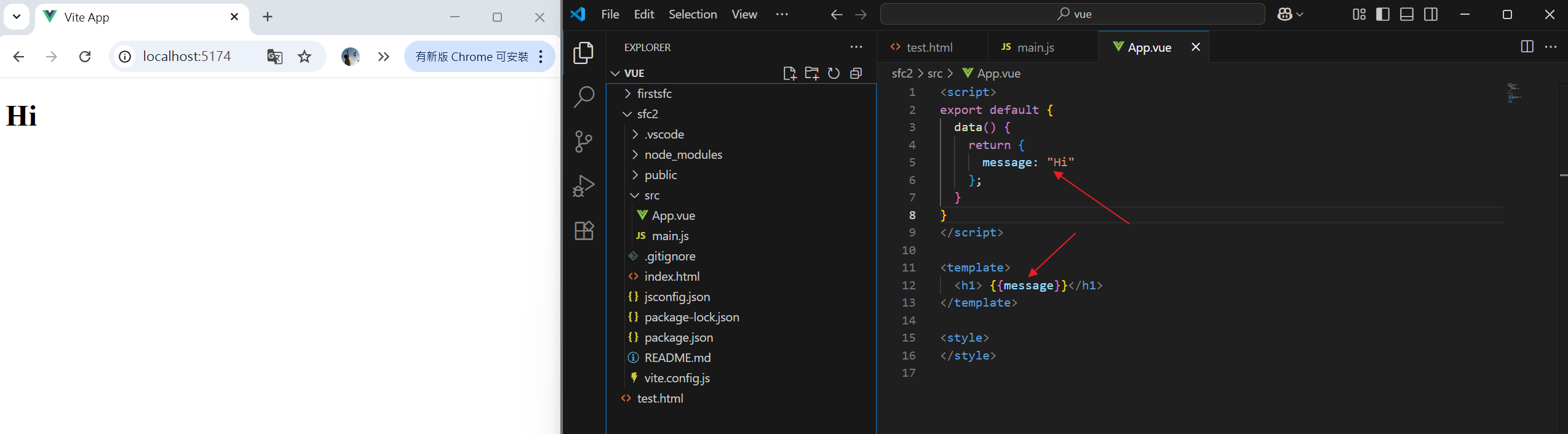
- 9.試試看變數 {{ message }}怎麼寫呢?這簡單,一開始就練過
- 在 hml (template ) 的地方 改成 {{ message }}
- 在 script 的地方用 Vue 的變數 data() return message 就對了
小技巧:要換別的顯示資訊,例如改成 hi和前面的 Hello World 不一樣,才看得出修改後的有沒有影響喔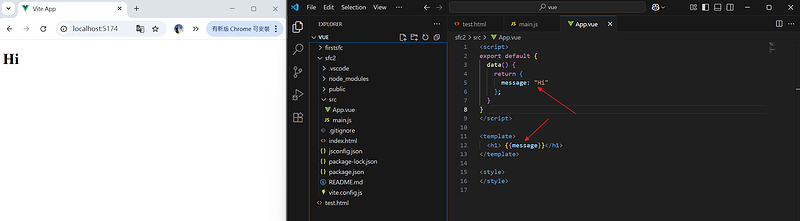
評語
請登入後才可以評分